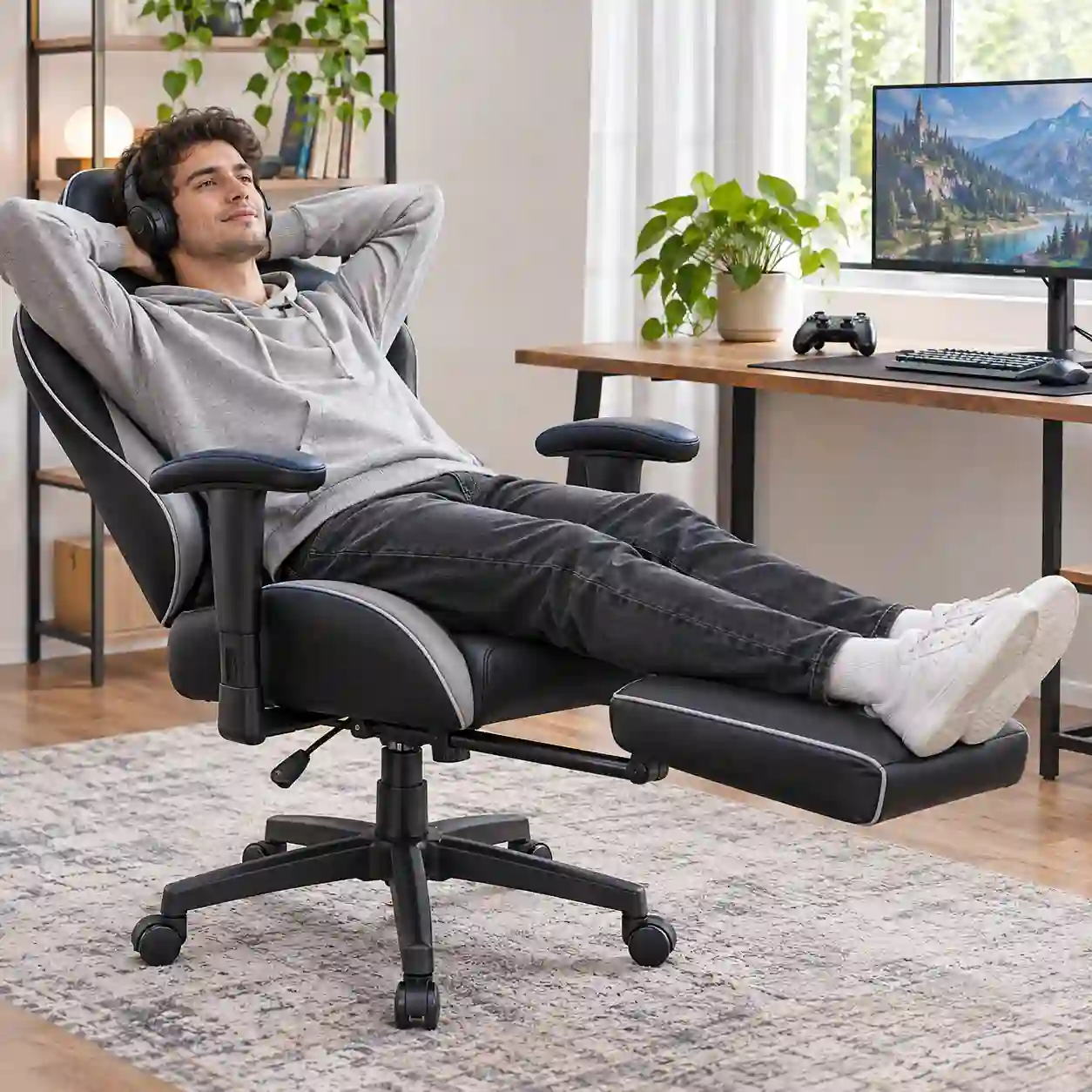
Looking at a gaming chair with a footrest? The useful question is not simply whether the footrest extends. Ask what position it supports, how far it reaches, and whether the chair still fits you when you use it.
A built-in footrest can be convenient for reclining with a controller or watching a screen. At an upright desk, a separate footrest may be easier to position. Neither option can make a seat that is too narrow, too deep, or uncomfortable suddenly fit.
Is a Gaming Chair With a Footrest Worth Buying?
It makes sense for reclined sessions
If you often lean back to play with a controller or take a short break between games, an attached footrest keeps leg support close to the chair. You do not have to pull an ottoman into place each time you recline.
Its usefulness depends on the fit. The footrest needs to reach your legs in the position you actually use, and it should feel steady when extended. A footrest that only feels right at one recline angle may be less useful if you spend most of your time sitting upright.
Desk use is a different job
When you sit upright for keyboard and mouse use, check whether your feet can rest flat on the floor. OSHA’s workstation guidance says that feet should be flat on the floor or supported by a stable footrest when the work surface cannot be adjusted. It also says a footrest should support both feet. That is desk-work guidance; it does not evaluate reclining leg rests as a way to improve comfort. See OSHA’s workstation checklist.
A retractable leg rest may not provide the same support as a separate footrest at an upright desk. If your main use is desk gaming or work, compare the chair’s seat-height range and desk height first. The attached footrest is an extra feature, not a substitute for checking the basic fit.

Built-In vs. Separate Footrest
A built-in footrest is attached to the chair and is most convenient when you recline. Its reach and position are fixed by the chair design, and it may take up space under the seat when extended.
A separate footrest can be moved to suit your desk position. It may work better for upright sitting, especially if you need support while keeping the chair close to the desk. The trade-off is that it is another item to position and move when you recline.
Product listings may call an attached extension a “gaming chair with a leg rest.” If you are comparing a reclining gaming chair with a footrest, judge its reach in the reclined position rather than relying on the feature label.
- Mostly reclined gaming: a built-in footrest may be convenient if its reach and stability suit you.
- Mostly upright desk use: check your floor support and desk height; a separate footrest may be easier to place.
- Mixed work and gaming: make sure the built-in rest retracts fully and does not interfere with the desk.
- Shared chair or different body sizes: pay attention to the seat-height range and usable footrest reach.

Why a Footrest Can Still Feel Awkward
The extension may not match your sitting position
Product photos rarely show whether the footrest reaches far enough for your legs. Check the usable extension from the front of the seat, not just the chair’s overall dimensions. Then consider how you sit: upright, partly reclined, or leaning back with your legs raised.
When trying a chair, notice whether both legs are supported, whether your feet can shift naturally, and whether an edge presses into your calves. If you have to keep changing position to stay on the footrest, the feature may not suit your usual posture.
Seat shape can matter more than the footrest
A footrest cannot widen the seat or soften firm side bolsters. If you like sitting cross-legged or with your knees raised, check whether the seat leaves your legs room to move. The footrest may support your legs, but it cannot change the usable seat width or reshape the bolsters.
The cushion and leg rest work as one system
A chair can feel acceptable during a brief try and less supportive during longer use. Check the cushion as well as the footrest: does the seat feel even, and can you sit back without the front edge pressing against the back of your knees?
OSHA’s chair guidance recommends that the seat support most of the thigh without contacting the back of the knee. It also notes that seat height and depth affect whether the feet remain supported. Those fit checks still matter when a chair includes a leg rest. Read OSHA’s chair guidance.
For longer sessions, changing position matters too. The Canadian Centre for Occupational Health and Safety advises varying sitting postures rather than trying to hold one position indefinitely. That is general workplace guidance, not a guarantee that a footrest prevents discomfort. Read the CCOHS guidance.
What to Check Before Buying
- Footrest reach: check the dimensions and extension range. Does it reach your legs in the position you use?
- Support surface: can both feet or lower legs rest without slipping off or pressing against an uncomfortable edge?
- Movement: extend and retract the footrest several times. Does it move smoothly and remain steady when open?
- Seat fit: check seat width, depth, and front-edge contact. The footrest does not correct a seat that does not fit.
- Desk clearance: with the footrest retracted, can you move close enough to your desk and sit in your usual working position?
- Recline interaction: test the footrest with the backrest at the angles you expect to use. Does the combination feel natural to you?
- Specifications and after-sales terms: confirm the stated dimensions, weight limit, assembly instructions, warranty, and replacement-part availability before ordering.
If you cannot try the chair in person, ask for the footrest’s dimensions and extension range, plus the seat’s width and depth. A listing can confirm that the feature exists; those measurements help you judge whether it may fit your setup.
For Retailers and Distributors: Turn Complaints Into Checks
Customer feedback becomes more useful when each complaint points to something that can be checked on a sample.
- “The footrest is too short” points to its usable extension and the range of user sizes the chair is meant to accommodate.
- “It feels loose” calls for checking the rails, joints, and how the footrest behaves when extended.
- “The seat feels flat” calls for reviewing the cushion specification and evaluating the sample after normal use; do not infer durability from a short showroom try.
- “The sides press into my legs” points to seat width and shape, not only the footrest.
Before approving a model, write down the dimensions and performance claims that matter to your market. Check them against the actual sample and ask which claims can be documented. A feature name such as “retractable footrest” does not by itself establish comfort or durability.
Frequently Asked Questions
Is a gaming chair with a footrest good for desk work?
It depends on the chair and desk setup. In an upright position, check that your feet are supported and that the retracted footrest does not interfere with the desk. A separate footrest may be easier to position for regular keyboard and mouse use.
Is a built-in footrest better than a separate one?
A built-in rest is convenient when you recline. A separate footrest can be positioned independently and may suit upright desk use better. Choose based on the position you use most, not on the feature list alone.
Can a footrest make an uncomfortable gaming chair comfortable?
It can add support in a position that suits you, but it cannot correct a poor seat fit. Seat height, width, depth, cushion feel, and recline comfort still matter.
What should I check if I like to sit cross-legged?
Pay close attention to seat width and shape, including whether firm side bolsters restrict your legs. Try your usual sitting position if possible; the footrest may not matter if the seat itself limits movement.
The Bottom Line
A gaming chair with a footrest is worth considering if you often recline and the footrest reaches and supports your legs in that position. For upright desk use, a separate footrest may be more flexible.
Check the seat and footrest together. Confirm the dimensions, test both upright and reclined positions if possible, and treat comfort or durability claims as things to verify rather than assume.
For broader seat-fit and back-support considerations, read our gaming chair back-pain buyer guide. You can also browse our gaming chair collection and ask us to confirm which current models include a built-in footrest and what specifications are available.
Sources and Further Reading




 English
 Español